Chemical Exporter
11 Export Documents, One Click
Built on Odoo 18 Enterprise

Chemical Exporter
11 Export Documents, One Click
Built on Odoo 18 Enterprise
Chemical Export Documentation Automated in Odoo 18
A chemical exporter replaced hand-built shipping paperwork with an Odoo 18 Enterprise system that produces the full 11-document export pack from one sales record — plus export costing, DG product data and quality testing in the same ERP.
Quick Wins:
- 11 export documents from one record
- FCL / per-MT costing with margin before quoting
- DG, UN and CAS data on every product
Client &
Vision

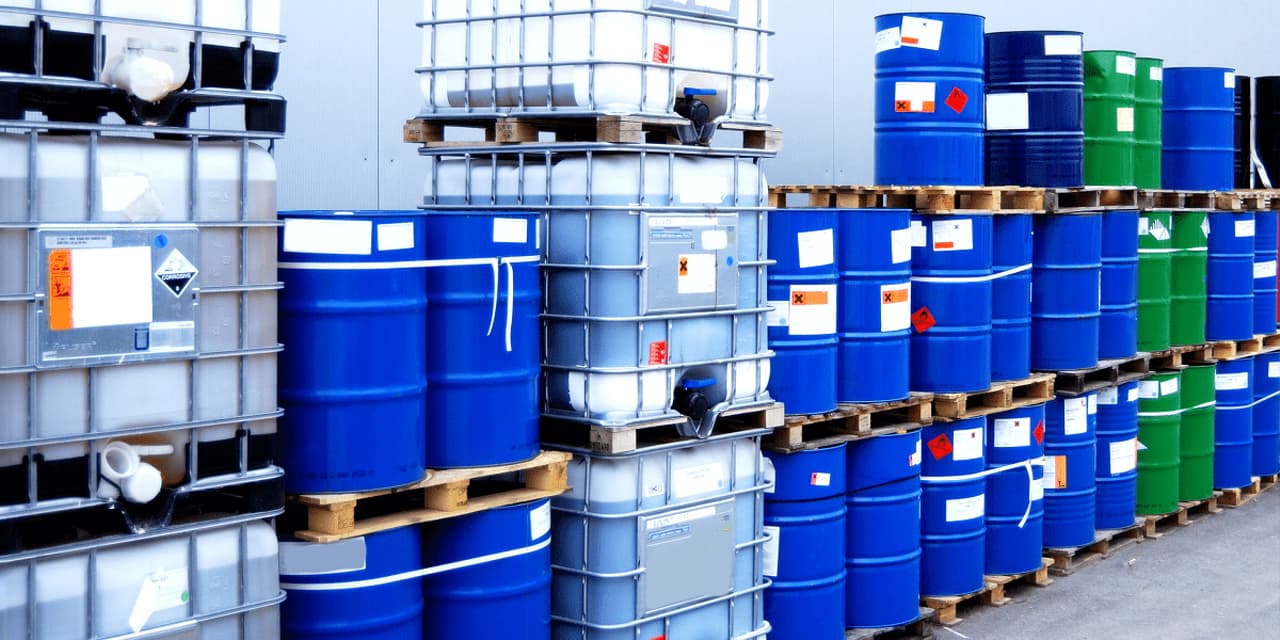
The client is a chemical trading and export company headquartered in Vadodara, Gujarat, India, supplying hazardous and non-hazardous industrial chemicals to overseas buyers across 35+ countries, with operations covering chemical sourcing, contract manufacturing, and international trade. Every shipment carries a stack of regulatory paperwork, and every product carries safety data that must match across all of it.
Their goal: stop rebuilding the same shipment data in Word and Excel for every document, know the real margin on a container before quoting, and keep product safety and quality data in one place the whole team trusts.
The
Challenge
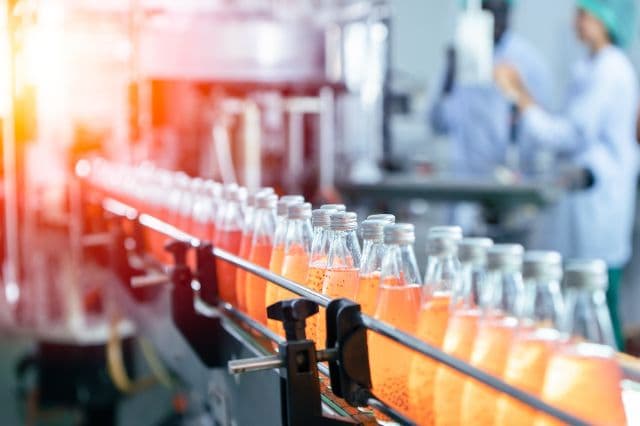
A single export shipment needs up to 11 documents — from Annexure C-1 and the DG declaration before dispatch to the draft bill of lading, certificate of origin and certificate of analysis after. Each was prepared separately, by re-typing the same consignee, product, quantity and hazard details. One mismatch in a UN number or weight could hold a container at port.
Pain Points
Deep-Dive
- Eleven Documents, Typed Eleven Times — Pre- and post-shipment papers were built one by one, so the same shipment data was re-entered across every document.
- Hazard Data Living in Files and Memory — DG class, UN number and CAS details sat in PDFs and personal sheets instead of on the product, so documents depended on who prepared them.
- Margins Known Only After Shipping — Freight, container and per-MT costs were worked out in spreadsheets, so the true margin on an order was clear only after the fact.
- Compliance Declarations Prone to Error — End-use, non-SCOMET and VGM declarations had to be checked by hand against the order every time.
- Quality Results Disconnected From Dispatch — Lab results for the certificate of analysis were recorded outside the system and matched to batches manually.
Solution
Delivered
We built the exporter's operations on Odoo 18 Enterprise around one idea: enter shipment data once, and let every document come from it. A custom export module generates the full 11-document pack — pre-shipment Annexure C-1, multimodal DG declaration, end-use and non-SCOMET declarations and VGM; post-shipment draft BL, commercial invoice, packing list, draft certificate of origin and certificate of analysis — straight from the order.
Around it sit three more pieces: an export cost sheet that calculates FCL and per-MT costing with margin before a quote goes out, a product passport holding DG class, UN number and CAS data on every product, and a quality lab desk that records test results against batches so the COA is ready when the shipment is.
Key Features /Highlights
- 1
Export Document Pack: 11 Documents From One Record
Before: Each pre- and post-shipment document prepared separately in Word and Excel. Now: Annexure C-1, DG declaration, end-use, non-SCOMET, VGM, draft BL, commercial invoice, packing list, draft COO and COA generated from the Odoo order, consistent by design.
- 2
Export Cost Sheet: Margin Before You Quote
Before: Container and freight costs worked out in spreadsheets after the deal. Now: FCL and per-MT costing with margin calculated in Odoo while the quote is being prepared.
- 3
Product Passport: DG, UN and CAS on Every SKU
Before: Hazard data kept in PDFs and personal files. Now: Every product carries its DG class, UN number and CAS data, which flows automatically into every document that needs it.
- 4
Quality Lab Desk: COA Ready at Dispatch
Before: Test results recorded outside the ERP and matched to batches by hand. Now: Lab results logged against the batch in Odoo, so the certificate of analysis is generated with the shipment.
Key Features /Highlights
Export Document Pack: 11 Documents From One Record
Before: Each pre- and post-shipment document prepared separately in Word and Excel. Now: Annexure C-1, DG declaration, end-use, non-SCOMET, VGM, draft BL, commercial invoice, packing list, draft COO and COA generated from the Odoo order, consistent by design.
Export Cost Sheet: Margin Before You Quote
Before: Container and freight costs worked out in spreadsheets after the deal. Now: FCL and per-MT costing with margin calculated in Odoo while the quote is being prepared.
Product Passport: DG, UN and CAS on Every SKU
Before: Hazard data kept in PDFs and personal files. Now: Every product carries its DG class, UN number and CAS data, which flows automatically into every document that needs it.
Quality Lab Desk: COA Ready at Dispatch
Before: Test results recorded outside the ERP and matched to batches by hand. Now: Lab results logged against the batch in Odoo, so the certificate of analysis is generated with the shipment.
Approach& Process
Discovery: Document Walk-Through
Traced one real shipment from inquiry to post-shipment papers and listed every field each of the 11 documents needs. [[TODO-OWNER: duration]]
Data Model: One Shipment Record
Designed the order, product passport and batch data so every document reads from the same source.
Build: Export Pack & Cost Sheet
Built the document templates and the FCL/per-MT cost sheet as custom Odoo 18 Enterprise modules.
Build: Product Passport & Lab Desk
Added DG/UN/CAS fields to products and a lab desk for batch test results.
Validation: Live Shipment Test
Generated the full pack for a real shipment and checked every document against what the team produced by hand.
Go-Live & Training
Trained sales, documentation and quality teams on the new flow. [[TODO-OWNER: go-live date]]
Outcome &Results
Full Export Pack Generated From Odoo
Shipment Data Entered Once
Margin Known Before Quoting
DG, UN and CAS Data Standardised
COA Produced From Recorded Lab Results
Compliance Declarations Checked Against the Order
What Changed
After Go-Live
[[TODO-OWNER: e.g. time to prepare a shipment's paperwork, before vs after]]
What Changed /
After Go-Live
[[TODO-OWNER: e.g. time to prepare a shipment's paperwork, before vs after]]
Metrics &Impact Summary
11 Export Documents Automated
1 Record Per Shipment
4 Custom Modules Delivered
[[TODO-OWNER]] Paperwork Time Per Shipment
[[TODO-OWNER]] Shipments Processed Since Go-Live
0 Documents Re-Typed
FutureRoadmap
1. COMPLETED Export Documentation Go-Live
2. NEXT [[TODO-OWNER: e.g. ICEGATE / e-BRC integration]]
3. LATER [[TODO-OWNER: or remove]]